Prometheus
Oodle is a drop-in replacement for Prometheus when it comes to storing and querying metrics. It natively supports Prometheus remote write protocol and can be integrated easily with existing Prometheus-based infrastructure.
Remote Write Configuration
In the Oodle UI, navigate to the Integrations page and click on Connect in the Prometheus tile.
Then, choose an appropriate API key from the list on top of the drawer
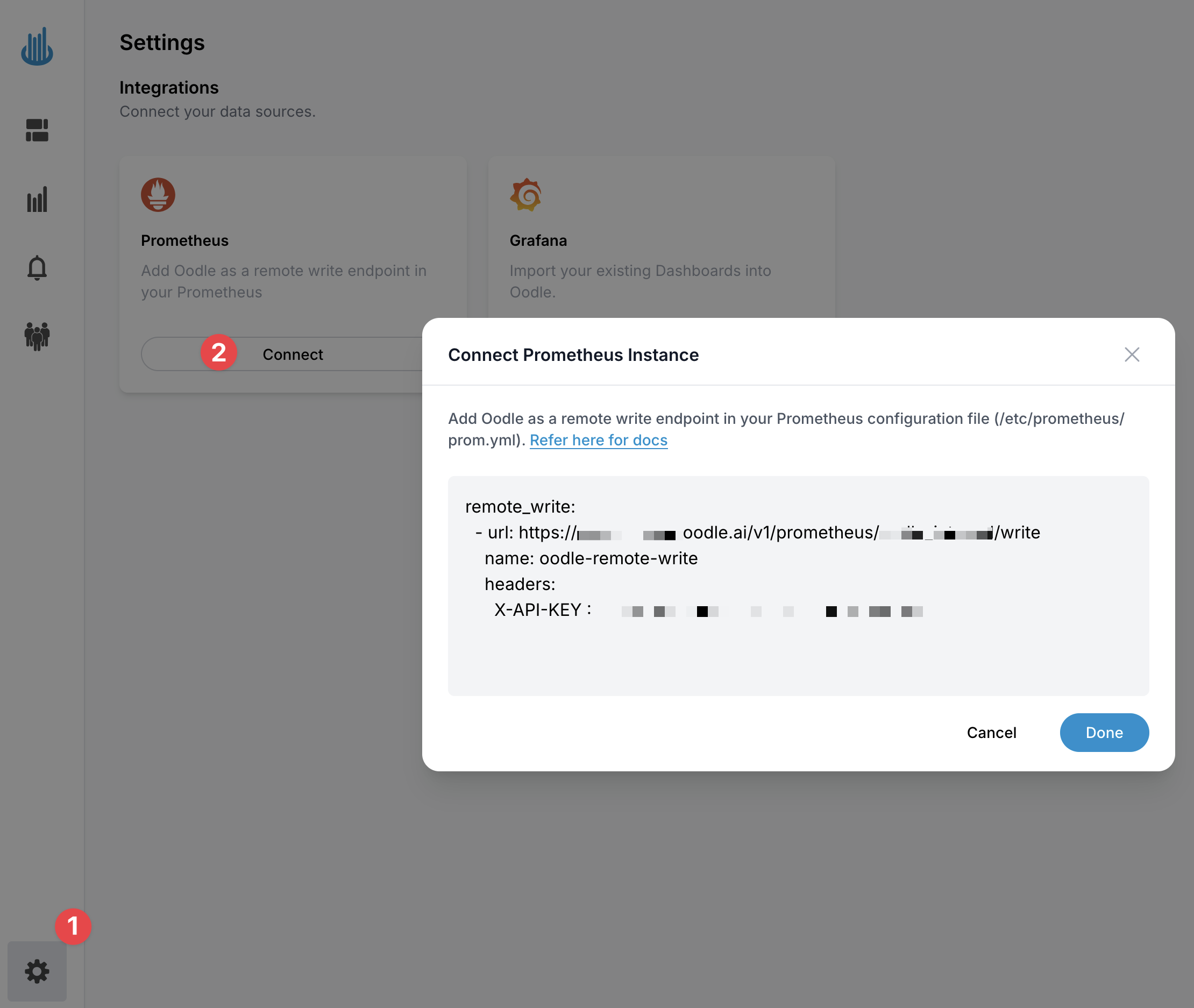
It provides you with the remote_write configuration that you can use in your Prometheus configuration
which will be pre-populated with the values specific to your Oodle instance.
remote_write:
  - url: https://<OODLE_ENDPOINT>/v1/prometheus/<INSTANCE_ID>/write
    name: oodle-remote-write
    headers:
      X-API-KEY: <API_KEY>
After adding the remote write configuration, you need to restart your Prometheus service
to apply the changes. Once Oodle starts receiving the metrics, the status of the Prometheus
tile will change to Receiving state with a green checkmark.
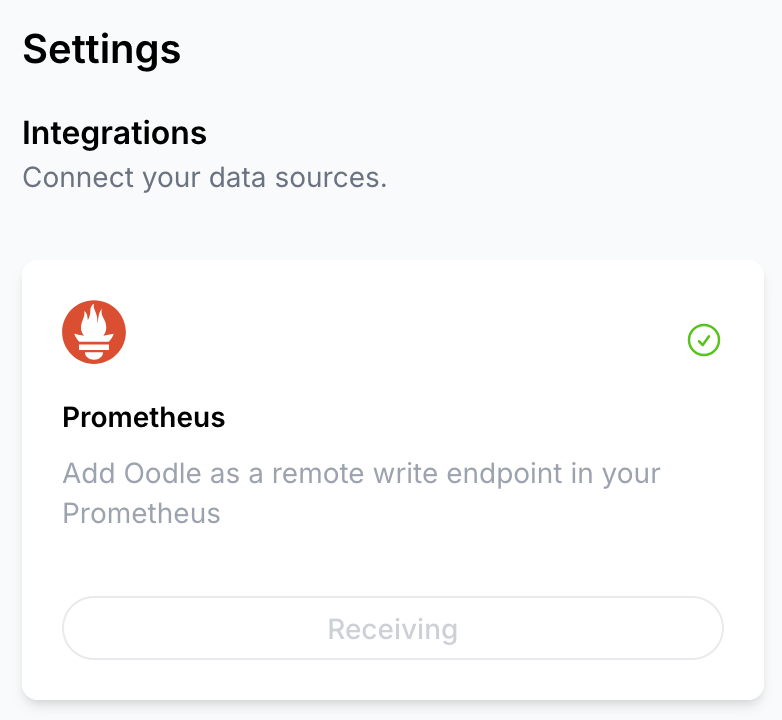
Follow the steps in the drawer to complete the Remote Write Configuration
Victoria Metrics Agent (vmagent)
If you are using Victoria Metrics Agent (vmagent) to scrape metrics from your targets, you can
configure it to send metrics to Oodle by adding the -remoteWrite.url and -remoteWrite.headers
flags to the vmagent command line.
-remoteWrite.url=https://<OODLE_ENDPOINT>/v1/prometheus/<INSTANCE_ID>/write
-remoteWrite.headers='X-API-KEY: <API_KEY>'
Steps
Follow these steps to setup Remote Write using Victoria Metrics Agent:
- Login to the Oodle UI, then navigate to the Integrations page
- Click on the Prometheus tile
- Choose an appropriate API key from the list on top of the drawer
- On the Prometheus tile drawer, click on the vmagent link
Follow the steps in the drawer to complete the Remote Write Configuration
Helm (kube-prometheus-stack)
If you run Prometheus through the kube-prometheus-stack Helm chart, store the Oodle API key in a Kubernetes secret and reference it from the remote write configuration, so the key never appears in your values file.
Create the namespace and the secret, using the namespace where kube-prometheus-stack is installed.
kubectl create namespace monitoring --dry-run=client -o yaml | kubectl apply -f -

kubectl create secret generic oodle-api-key \
  --from-literal=apiKey=<API_KEY> \
  --namespace monitoring
Add the remote write configuration to your values file:
prometheus:
  prometheusSpec:
    remoteWrite:
      - url: "https://<OODLE_ENDPOINT>/v1/prometheus/<INSTANCE_ID>/write"
        authorization:
          type: Bearer
          credentials:
            name: oodle-api-key
            key: apiKey
The secret must live in the same namespace as the Prometheus resource, otherwise the Prometheus Operator cannot mount it.
Apply the values to the chart:
helm repo add --force-update prometheus-community https://prometheus-community.github.io/helm-charts

helm upgrade --install kube-prometheus-stack \
  prometheus-community/kube-prometheus-stack \
  --namespace monitoring \
  --values values.yaml
Steps
Follow these steps to setup Remote Write using the kube-prometheus-stack Helm chart:
- Login to the Oodle UI, then navigate to the Integrations page
- Click on the Prometheus tile
- Choose an appropriate API key from the list on top of the drawer
- On the Prometheus tile drawer, click on the Helm link
Visualize Metrics
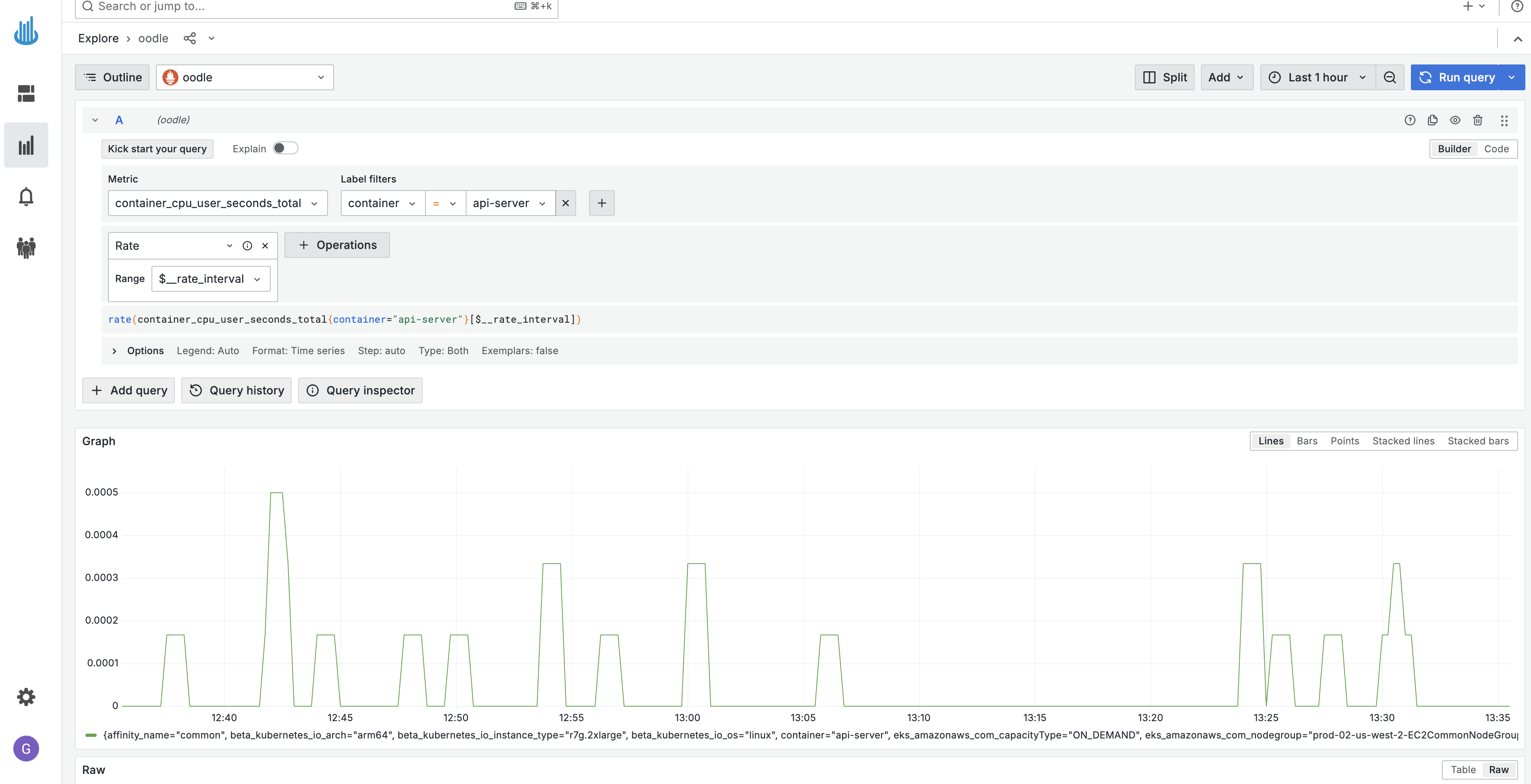
You can visualize metrics in Oodle using the Explore Metrics tab. It supports Grafana
Builder and Code Editor to build PromQL queries. Please refer to
PromQL Query docs
to learn more about PromQL.
Support
If you need assistance or have any questions, please reach out to us through:
- Email at [email protected]