Supabase
Stream Supabase project logs to Oodle using Supabase Supabase Log Drains.
Configuration
To configure the endpoint, you will need:
OODLE_INSTANCE: Your Oodle instance ID.OODLE_API_KEY: Oodle API key with log ingestion permissions.
Find both at: Settings -> API Keys.
(Oodle UI links: ap1, us1).
Supabase Log Drain Setup
Create a Custom Endpoint
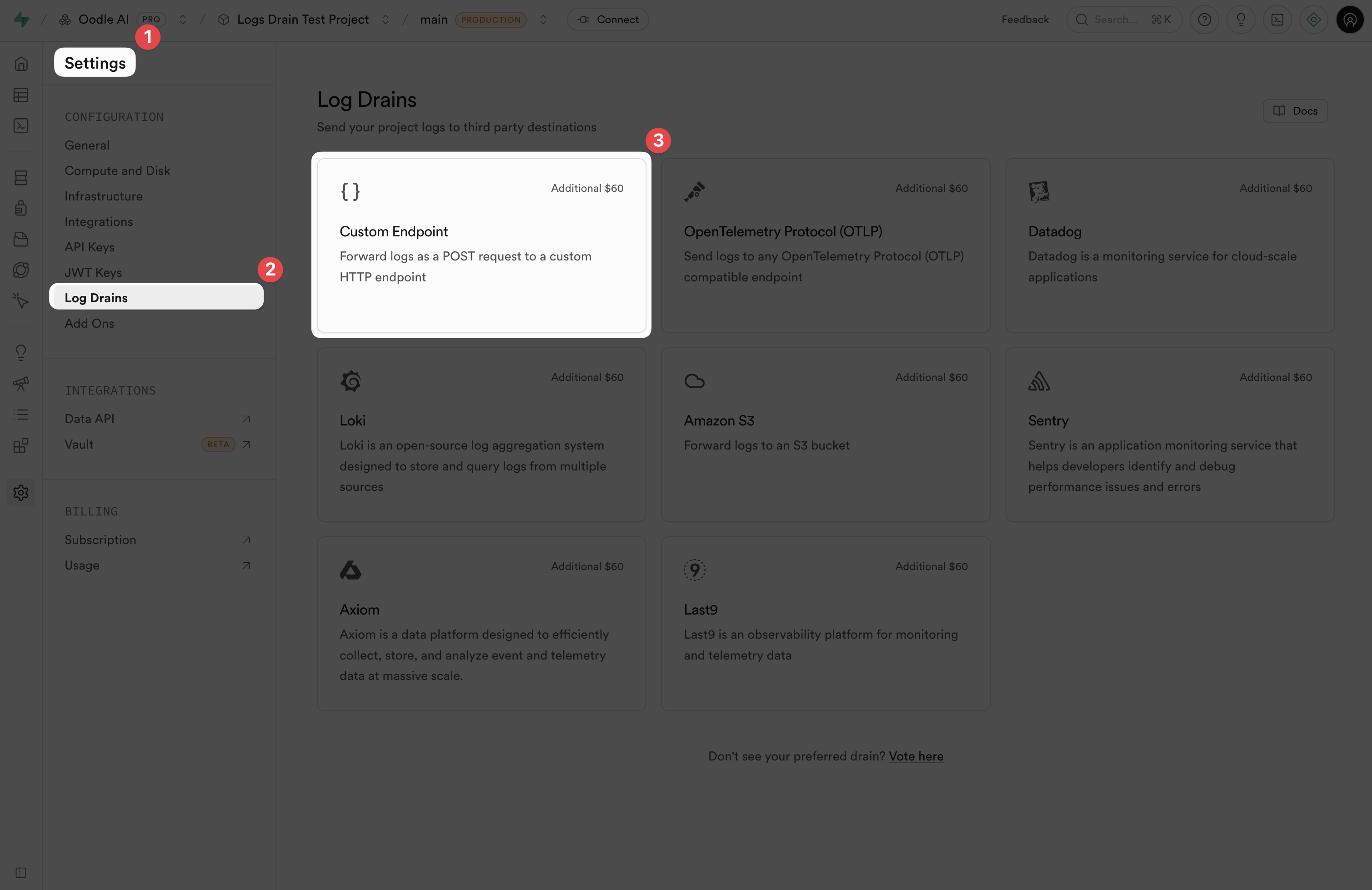
- Open your Supabase project dashboard.
- Go to Project Settings -> Log Drains.
- Click Custom Endpoint.
Configure the Custom Endpoint
Fill these destination fields:
| Setting | Value |
|---|---|
| URL | https://<OODLE_INSTANCE>-logs.collector.oodle.ai/ingest/v1/logs |
| HTTP Version | HTTP/1.1 or HTTP/2 |
| Gzip | Enabled (recommended) |
Add these headers in the endpoint configuration:
| Header | Value |
|---|---|
X-OODLE-INSTANCE | <OODLE_INSTANCE> |
X-API-KEY | <OODLE_API_KEY> |
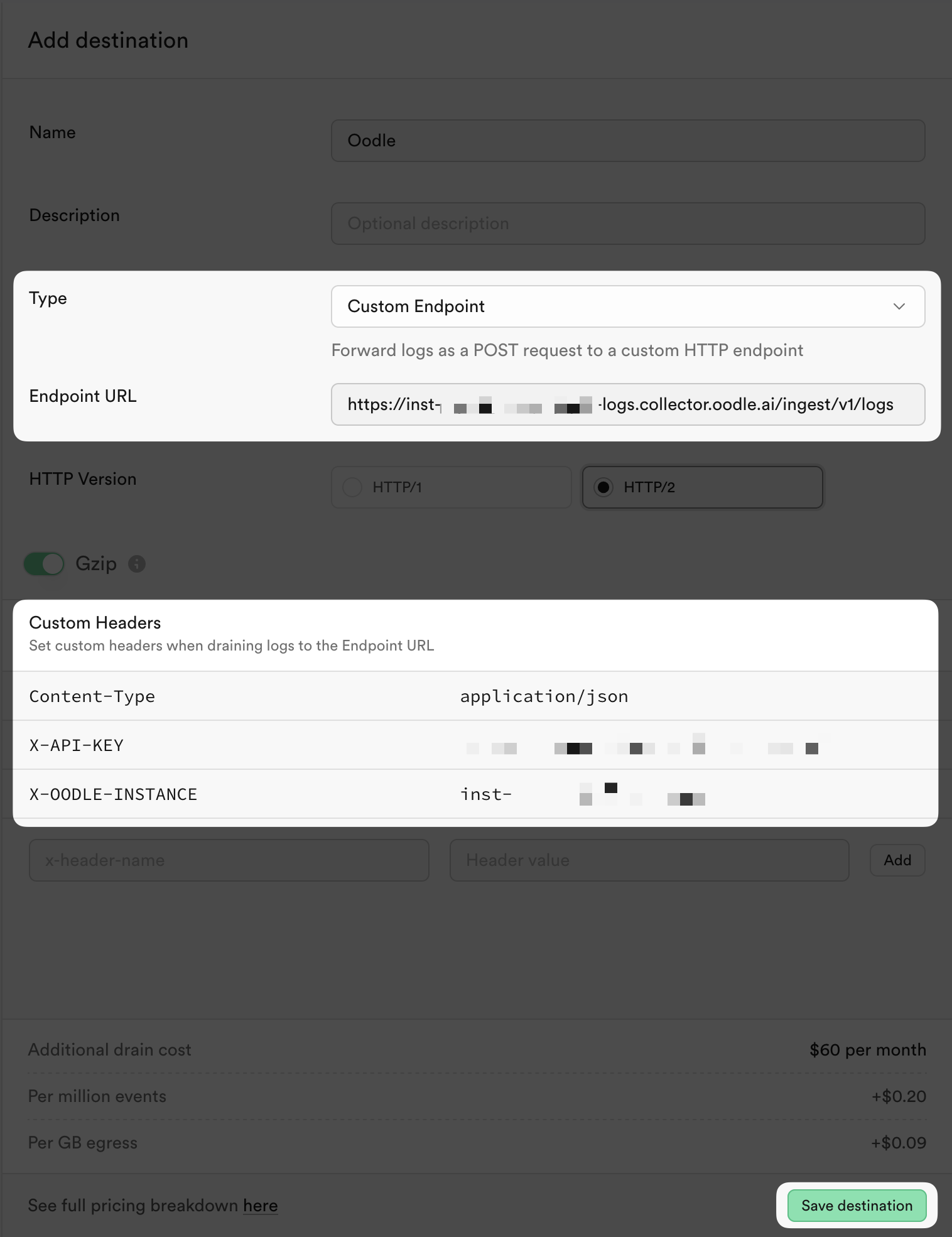
Save and Verify
Support
If you need assistance or have any questions, please reach out to us through:
- Email at [email protected]