Descope
Stream Descope audit events to Oodle using the Descope Open Telemetry Connector.
Configuration
To configure the endpoint, you will need:
OODLE_INSTANCE: Your Oodle instance ID.OODLE_API_KEY: Oodle API key with log ingestion permissions.
Find both at: Settings -> API Keys.
(Oodle UI links: ap1, us1).
Descope Open Telemetry Setup
Configure a new Open Telemetry Connector
- Click here to create a new Open Telemetry Connector: https://app.descope.com/connectors/template/opentelemetry
- Fill connector fields as shown below:
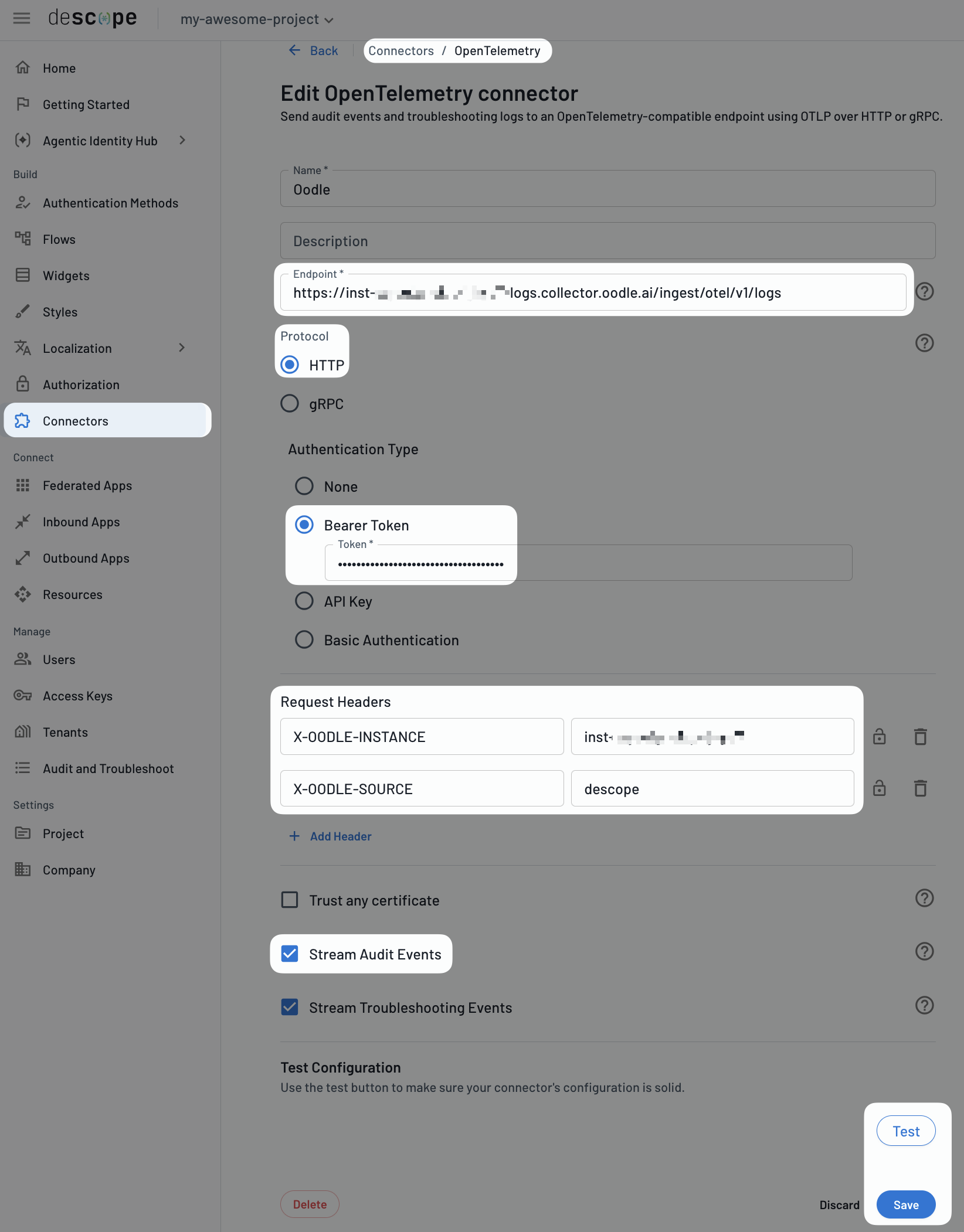
| Setting | Value |
|---|---|
| Logs Endpoint | https://<OODLE_INSTANCE>-logs.collector.oodle.ai/ingest/otel/v1/logs |
| Protocol | HTTP |
| Authentication Type | Bearer Token |
| Token | <OODLE_API_KEY> |
| Request Header | X-OODLE-INSTANCE: <OODLE_INSTANCE> |
| Request Header | X-OODLE-SOURCE: descope |
| Stream Audit Events | Enabled |
| Stream Troubleshooting Events | Enabled (Optional) |
Save and Verify
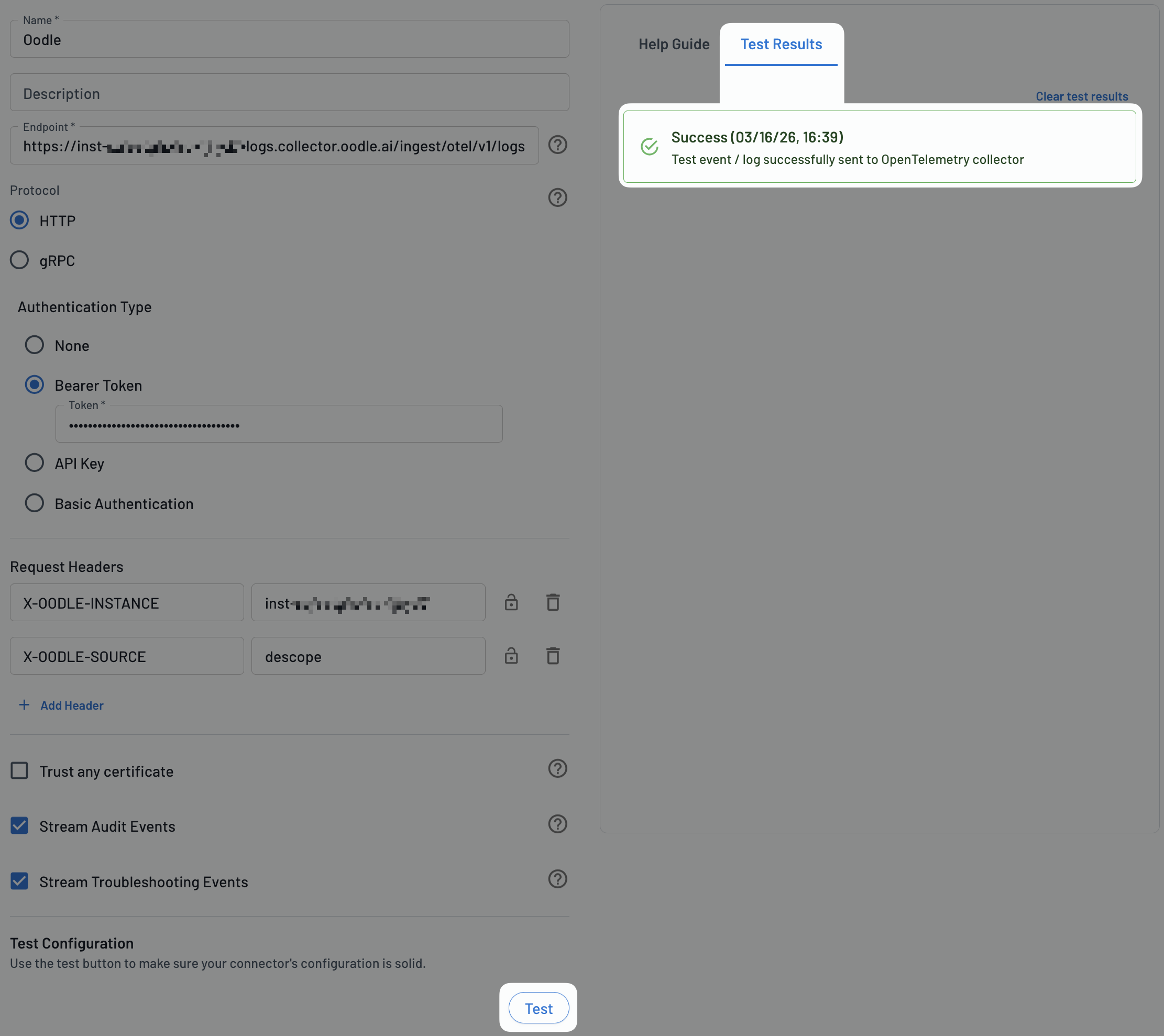
- Click Test and confirm there are no errors.
- Confirm the Test Results tab shows a success event.
Support
If you need assistance or have any questions, please reach out to us through:
- Email at [email protected]