Clusters
The Clusters tab shows a per-cluster view of resource utilization across all your monitored Kubernetes clusters.
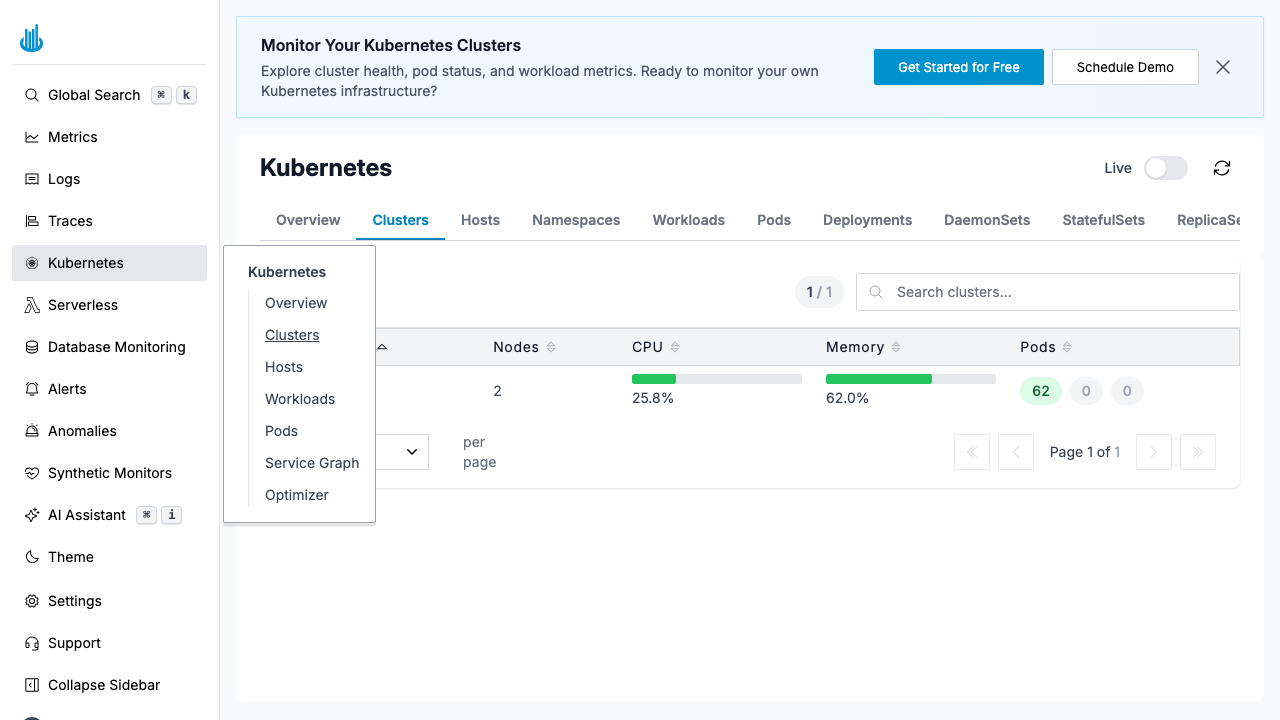
Clusters Table
Each row represents a single cluster with the following columns:
| Column | Description |
|---|---|
| Cluster | Cluster name |
| Nodes | Number of nodes in the cluster |
| CPU | CPU utilization percentage with a visual bar |
| Memory | Memory utilization percentage with a visual bar |
| Pods | Pod count broken down by status (Running, Pending, Failed) |
Features
- Search — Use the search bar to filter clusters by name.
- Sorting — Click any column header to sort ascending or descending.
- Pagination — Navigate through clusters if you have many.
- Click a row to drill down into that cluster's nodes, workloads, and pods.
Support
If you need assistance or have any questions, please reach out to us through:
- Email at [email protected]