LlamaIndex
LlamaIndex's OpenTelemetry package traces every workflow step and tool call; the OpenAI instrumentation puts the prompt, completion and token counts on the model calls.
Oodle is a managed observability platform for metrics, logs, traces and agent traces. It ingests OpenTelemetry natively, so the snippet on this page is the complete setup.
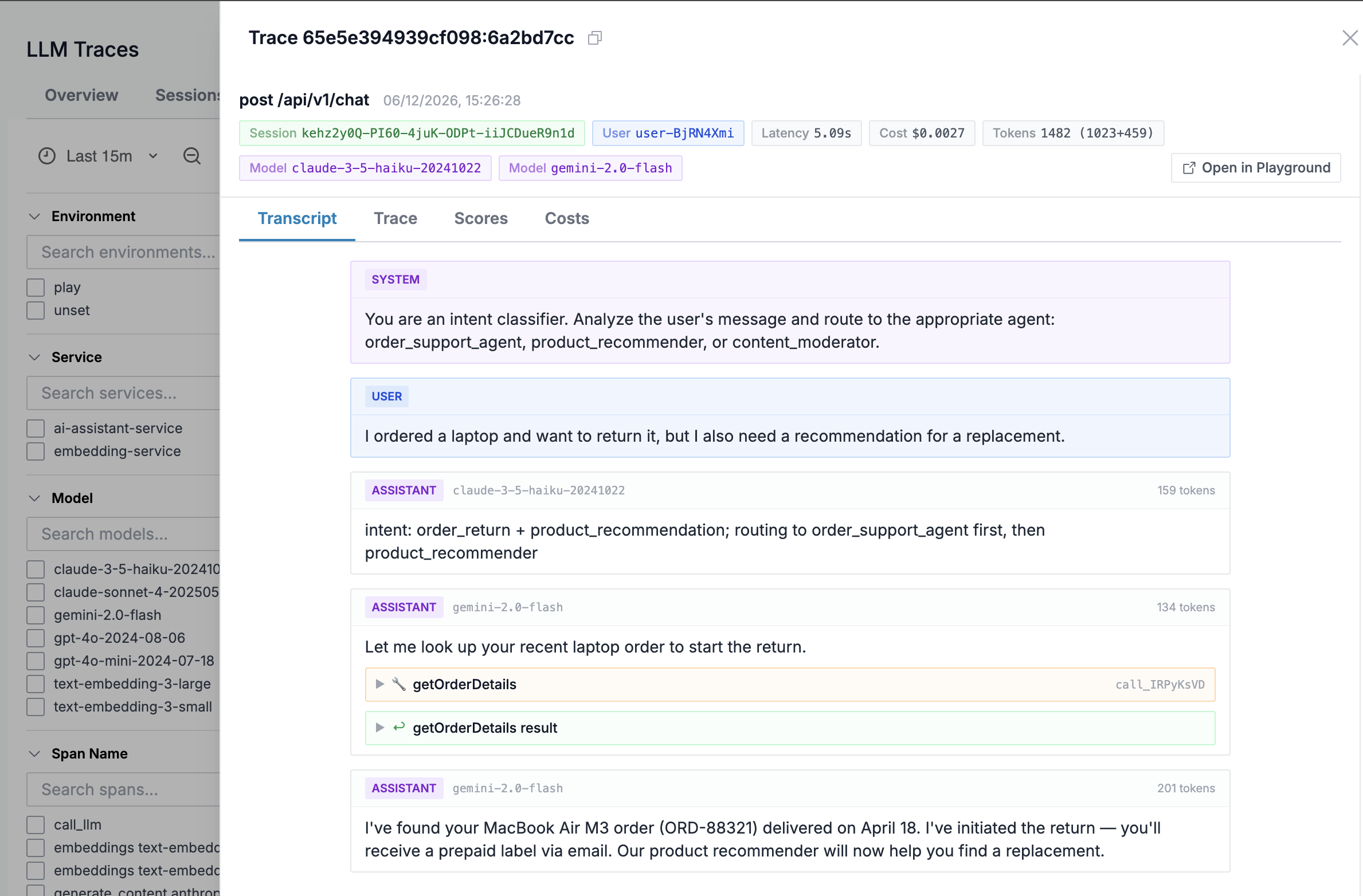
Each trace shows the full transcript, the token counts and cost of every call, the agent structure (runs, steps and tool calls) and Signals: labels for loops, rate limits, refusals and tool failures, detected as the trace arrives.
Sign up for free to get an instance ID and an API key, or see the Agent Observability overview first.
You will need:
OODLE_INSTANCE: your Oodle instance ID (ap1, us1)OODLE_API_KEY: an Oodle API key (ap1, us1)OTLP_ENDPOINT: your OTLP collector domain, shown on the tile
Open the LlamaIndex tile on the ap1, us1 page to
get these filled in for you, or let an agent do the setup with
/oodle-onboarding set up the llm_observability_llamaindex integration.
Install
Install LlamaIndex with its OpenTelemetry package and the OpenAI OTel instrumentation:
pip install llama-index-core llama-index-llms-openai \
  llama-index-observability-otel \
  opentelemetry-instrumentation-openai \
  opentelemetry-exporter-otlp-proto-http \
  opentelemetry-sdk
Instrument
Register the LlamaIndex OpenTelemetry integration and activate the OpenAI instrumentor. LlamaIndex traces every workflow step and tool call; the OpenAI instrumentor puts the prompt, completion and token counts on the model calls:
import asyncio

from llama_index.core.agent.workflow import FunctionAgent
from llama_index.core.tools import FunctionTool
from llama_index.llms.openai import OpenAI
from llama_index.observability.otel import LlamaIndexOpenTelemetry
from opentelemetry.exporter.otlp.proto.http.trace_exporter import OTLPSpanExporter
from opentelemetry.instrumentation.openai import OpenAIInstrumentor
from opentelemetry.sdk.resources import Resource

# Owns the tracer provider and traces every workflow step,
# tool call and LLM dispatch.
otel = LlamaIndexOpenTelemetry(
    service_name_or_resource=Resource.create({"service.name": "my-llm-app"}),
    span_exporter=OTLPSpanExporter(),
)
otel.start_registering()

# Puts the prompt, completion and token counts on the model calls.
OpenAIInstrumentor().instrument()


def get_weather(city: str) -> str:
    """Return the weather for a city."""
    return f"Sunny in {city}"


agent = FunctionAgent(
    name="weather-agent",
    tools=[FunctionTool.from_defaults(get_weather)],
    llm=OpenAI(model="gpt-4o-mini"),
    system_prompt="Use tools when asked about the weather.",
)


async def main():
    result = await agent.run("What is the weather in Paris?")
    print(str(result))


asyncio.run(main())
Environment
Point the application at Oodle:
# OTLP endpoint (points straight at Oodle)
export OTEL_EXPORTER_OTLP_ENDPOINT=https://<OTLP_ENDPOINT>

export OTEL_EXPORTER_OTLP_HEADERS="X-API-KEY=<OODLE_API_KEY>,X-OODLE-INSTANCE=<OODLE_INSTANCE>"

# Compress the export: prompt payloads are large
export OTEL_EXPORTER_OTLP_COMPRESSION=gzip
Verify
Run your application, then open ap1, us1. Spans
carry gen_ai.* attributes: the model, token counts, and the prompt and
response content. Click a trace for the Transcript, the waterfall, and
the cost breakdown.
If nothing arrives, check that the exporter can reach
https://<OTLP_ENDPOINT> and that the instance and key are set: the
OTLP gateway answers 401 without them.
Support
If you need assistance or have any questions, please reach out to us through:
- Email at [email protected]