Agent Observability
Oodle ingests LLM and agent traces that follow the OpenTelemetry GenAI semantic conventions, and resolves the SDK-specific spellings onto them at ingest. Whichever instrumentation you use, the result is the same: prompts, system instructions, model output, token counts and cost, on one trace.
Oodle is a managed observability platform for metrics, logs, traces and agent traces. It ingests OpenTelemetry natively, so the snippet on this page is the complete setup.
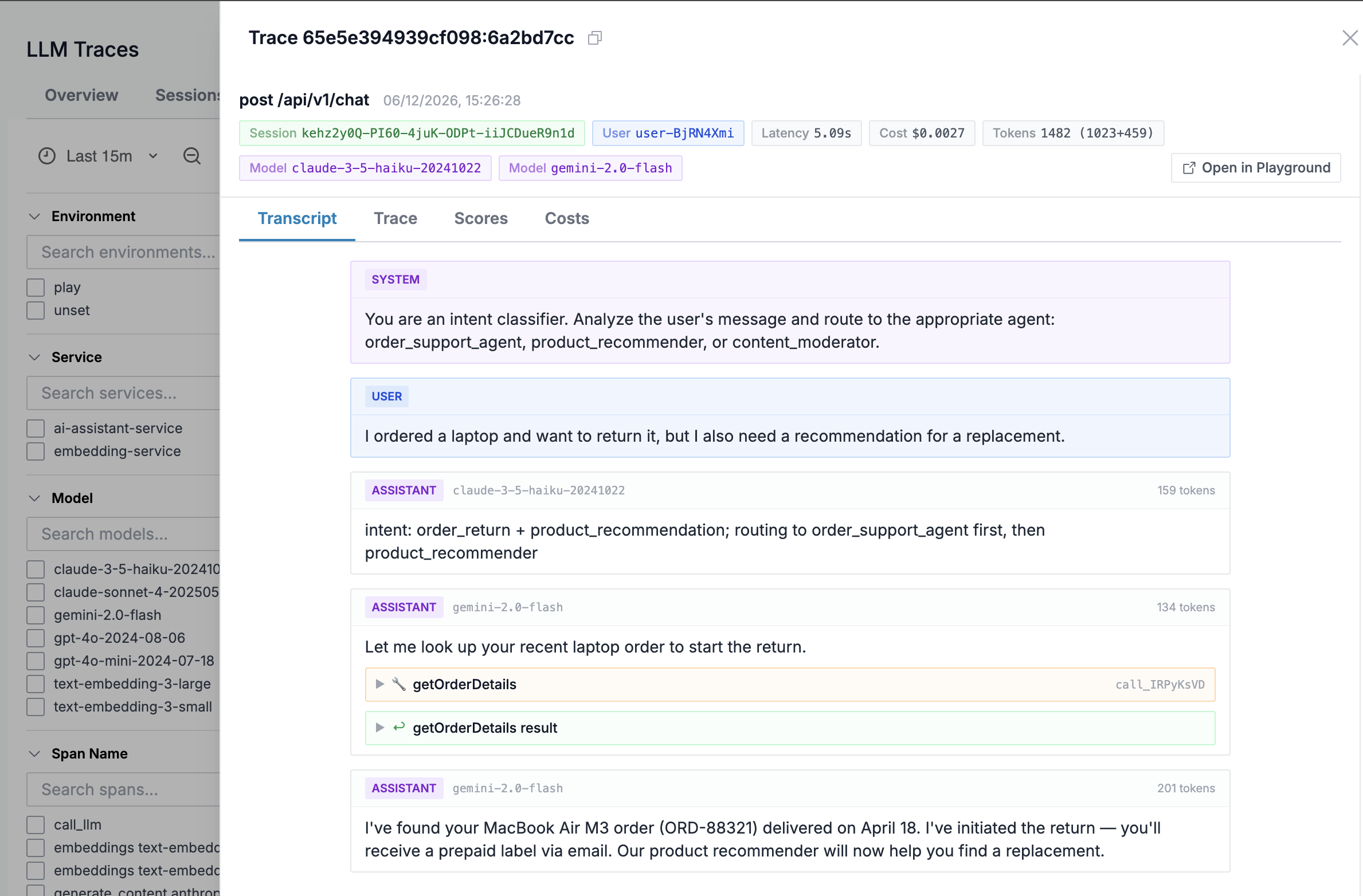
Each trace shows the full transcript, the token counts and cost of every call, the agent structure (runs, steps and tool calls) and Signals: labels for loops, rate limits, refusals and tool failures, detected as the trace arrives.
Sign up for free to get an instance ID and an API key, or see the Agent Observability overview first.
Pick your instrumentation
Each page below is the setup for one SDK. Every snippet on them is the snippet the matching tile on the ap1, us1 page shows, so the two cannot disagree.
| Instrumentation | Languages | Good for |
|---|---|---|
| Langfuse | Python, TypeScript | Prompt management alongside tracing |
| Vercel AI SDK | TypeScript | Agents, steps and tool calls in the AI SDK |
| eve | TypeScript | Agents built on Vercel's eve framework |
| OpenAI | Python, TypeScript | Direct OpenAI SDK calls |
| LangChain | Python, TypeScript | LangChain chains and LangGraph agents |
| LangGraph | Python, TypeScript | Graphs built on StateGraph: nodes, model calls and tool calls |
| Pydantic AI | Python | Pydantic AI agents |
| Google Gemini | Python | The google-genai SDK |
| LiteLLM | Python | One SDK or proxy in front of many providers |
| Traceloop | Python, TypeScript | OpenLLMetry across many SDKs |
| OpenLIT | Python, TypeScript | LLMs plus vector DBs, MCP tools and GPU metrics |
| OpenAI Agents SDK | Python | Agents, tool calls and handoffs in the Agents SDK |
| CrewAI | Python | Crews, tasks and agents |
| LlamaIndex | Python | LlamaIndex agents and workflows |
| Haystack | Python | Haystack pipelines and components |
| Mastra | TypeScript | Mastra agents, tools and workflows |
| ElevenLabs Agents | Any | ElevenLabs voice agents: every call, with no code |
| OpenCode | Any | OpenCode sessions, through the Langfuse OpenCode plugin |
| Claude Platform | Any, plus Python SDK | Claude API and Managed Agents requests, traced by Anthropic and by the Claude SDK |
| TrueFoundry | Any | Every request through the TrueFoundry AI Gateway, with no code |
Already exporting OpenTelemetry GenAI spans from something not listed here? Point the exporter at Oodle and they are ingested the same way.
Moving from another backend
Every instrumentation above exports over OTLP, so a move to Oodle is an endpoint and a header change, with no change to the application code:
export OTEL_EXPORTER_OTLP_ENDPOINT=https://<OTLP_ENDPOINT>
export OTEL_EXPORTER_OTLP_HEADERS="X-API-KEY=<OODLE_API_KEY>,X-OODLE-INSTANCE=<OODLE_INSTANCE>"
To compare before you switch, add Oodle as a second exporter in your collector, or as a second span processor in the SDK, and remove the old one when you are done. The SDK generates the trace IDs, so a trace you find in one backend is the same trace in the other.
Two ways to export
Every page offers the same choice, and it is only ever an endpoint change:
- Through a collector. Your application exports to an OpenTelemetry Collector you run, and the collector forwards to Oodle. Redaction and sampling belong here.
- Straight to Oodle. No collector to run. There is no redaction step in this path, so use the SDK options to limit what is captured.
Setup with an agent
Every integration on this page ships a machine-readable setup spec, so a coding agent can do the work:
npx skills add oodle-ai/agent-skills -y
Then, in your agent:
/oodle-onboarding set up the llm_observability_langfuse integration
Swap the last segment for the instrumentation you want, for example
llm_observability_vercel.
What you get
Support
If you need assistance or have any questions, please reach out to us through:
- Email at [email protected]