Create a Dashboard
This guide walks you through creating a new dashboard in Oodle.
Create a New Dashboard
-
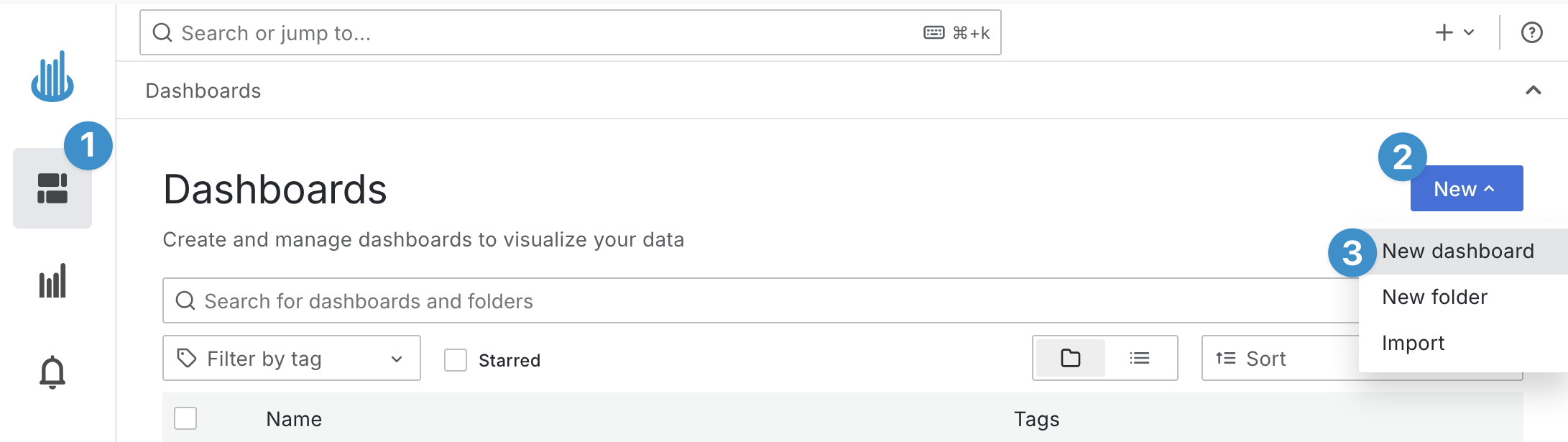
Click Dashboards in the left sidebar.
-
Click the New button near the top right of the page.
-
Choose New dashboard from the dropdown menu.
Now you should have a new blank dashboard.
Add a New Panel
-
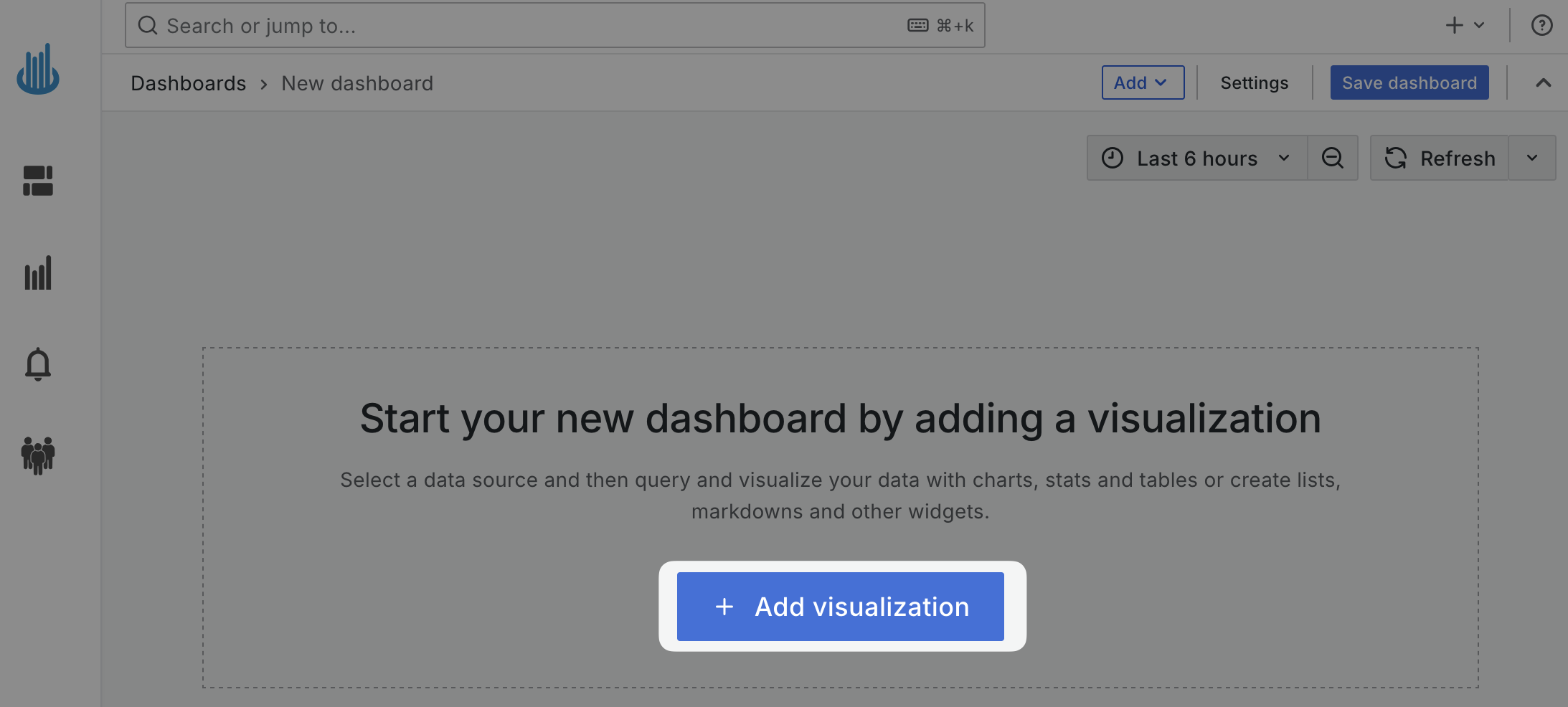
Click Add visualization on the empty dashboard screen to add a new panel.
-
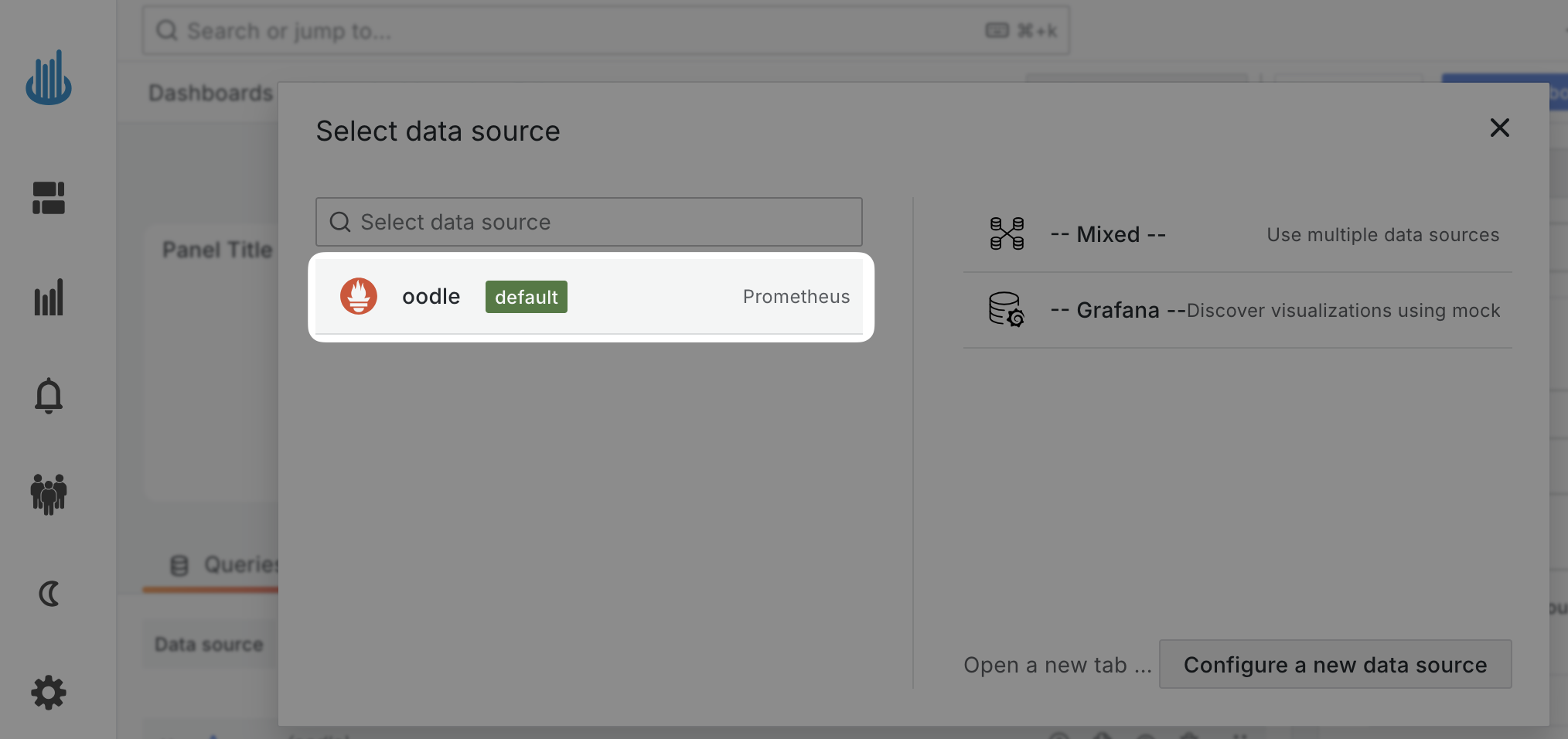
Click oodle on the "Select data source" dialog.
Configure the Panel
Panels come with extensive configuration options. Let's take a look at the configuration options for Cluster CPU Utilization panel from Oodle Playground:
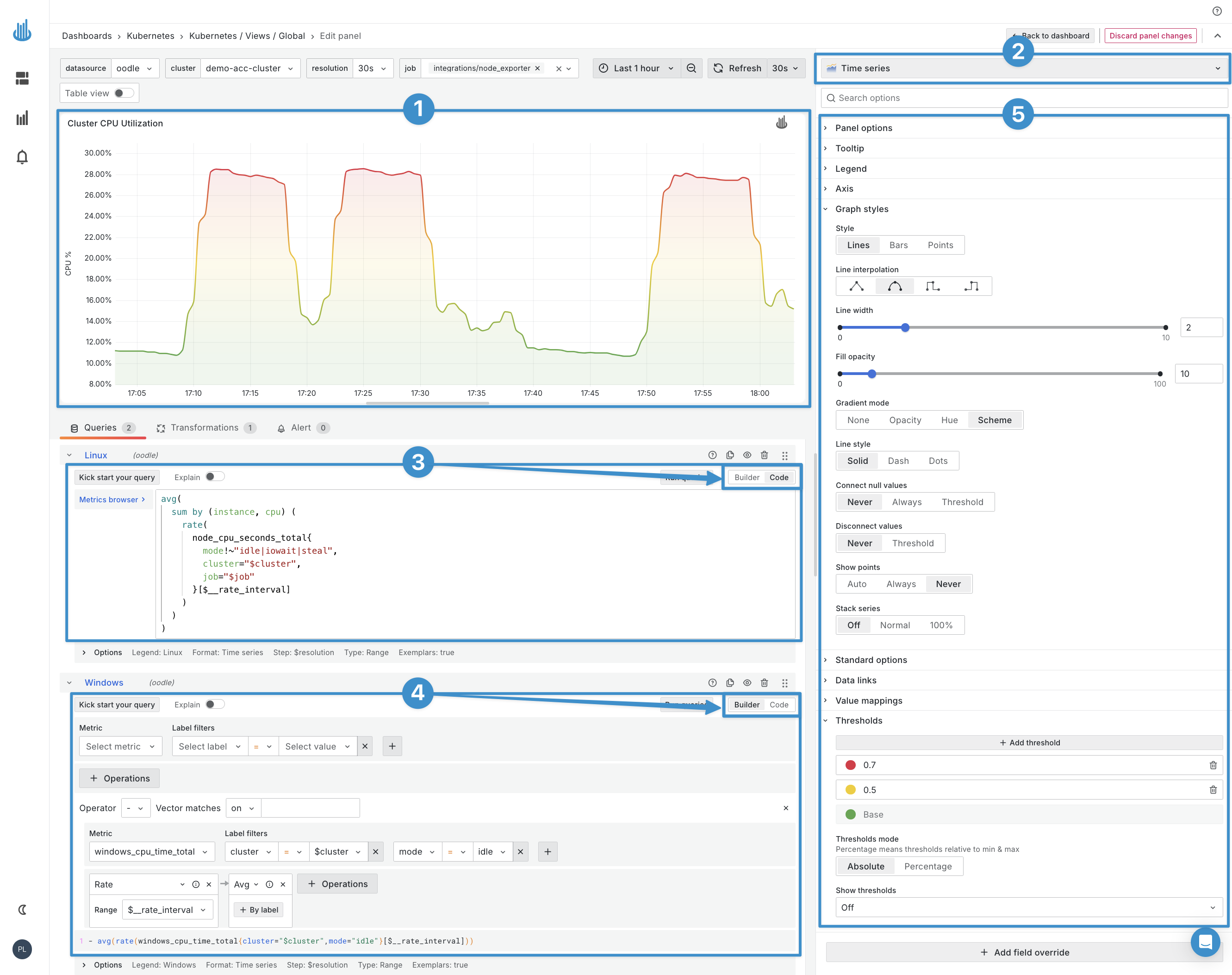
- See how the panel will look like on the dashboard in the visualization preview.
- Choose the visualization type from the visualization dropdown.
- Write PromQL query to fetch the data for the panel,
- Or use the query builder UI to build the query.
- Customize the panel both in appearance and functionality using the provided options.
Support
If you need assistance or have any questions, please reach out to us through:
- Email at [email protected]