Database Monitoring
Oodle Database Monitoring gives you deep visibility into your database performance. Track query execution times, identify slow queries, monitor host resource utilization, and analyze query samples — all from a single interface.
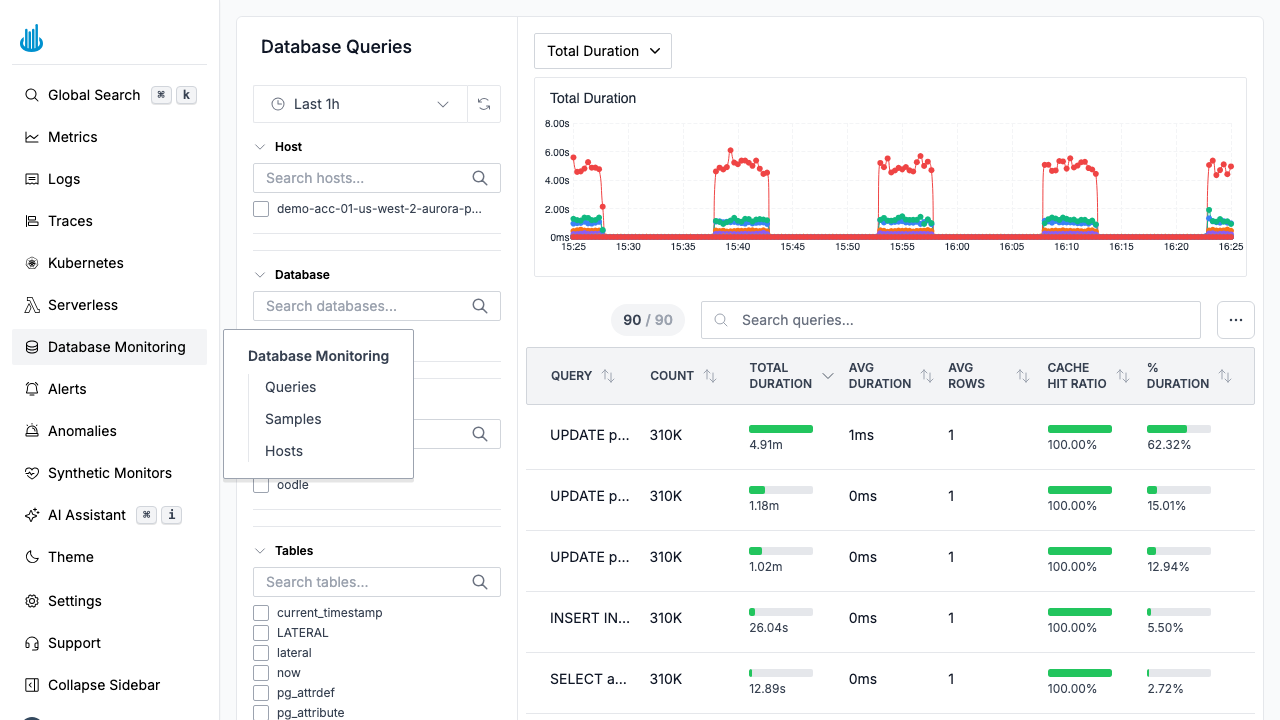
Getting Started
Navigate to Database Monitoring in the sidebar. The default view opens on the Queries tab, which shows an aggregated view of all database queries.
Navigation
Database Monitoring is organized into three tabs:
| Tab | Description |
|---|---|
| Queries | Aggregated query performance metrics |
| Samples | Individual query execution samples |
| Hosts | Database host health and resource usage |
Filters
Each tab provides a filter sidebar on the left. The Queries and Samples tabs share these filters:
- Host — Filter by database host.
- Database — Filter by database name.
- User — Filter by the database user that executed the query.
- Tables — Filter by referenced table names.
- Commands — Filter by SQL command type (e.g., SELECT, INSERT).
The Hosts tab has its own filters:
- Database Type — Filter by engine (PostgreSQL, MySQL).
- Version — Filter by database version.
- Database Identifier — Search by DB instance identifier.
All tabs include a time picker to adjust the observation window.
Supported Databases
Oodle Database Monitoring supports:
- PostgreSQL (including Aurora PostgreSQL)
- MySQL (including Aurora MySQL)
Best Practices
- Start with the Queries tab to identify the most expensive queries by total duration.
- Drill into Samples when you need to see individual execution plans or parameter values.
- Monitor Hosts to detect resource bottlenecks (CPU, connections) that affect query performance.
- Set alerts on key database metrics (query duration, error rate) to catch regressions early.
Related Pages
- Kubernetes — Monitor Kubernetes clusters, workloads, and pods.
- Serverless — Monitor AWS Lambda functions.
Support
If you need assistance or have any questions, please reach out to us through:
- Email at [email protected]