GCP Private Service Connect (PSC)
Overview
If you are on Google Cloud, and have a VPC in one of the regions listed below, you can use Google Cloud Private Service Connect (PSC) to send logs, metrics, and traces to Oodle without traversing the public internet.
Current supported GCP regions:
asia-south1us-west2
Send an email to [email protected] if you need support for a different GCP region.
Prerequisite
To configure PSC, you will need the Service Attachment URI for your region:
| Region | Service Attachment URI |
|---|---|
asia-south1 | projects/oodle-psc/regions/asia-south1/serviceAttachments/receiver |
us-west2 | projects/oodle-psc/regions/us-west2/serviceAttachments/receiver |
Setup
Connect PSC Endpoint
-
Open the Connect endpoint page.
-
Fill in the form:
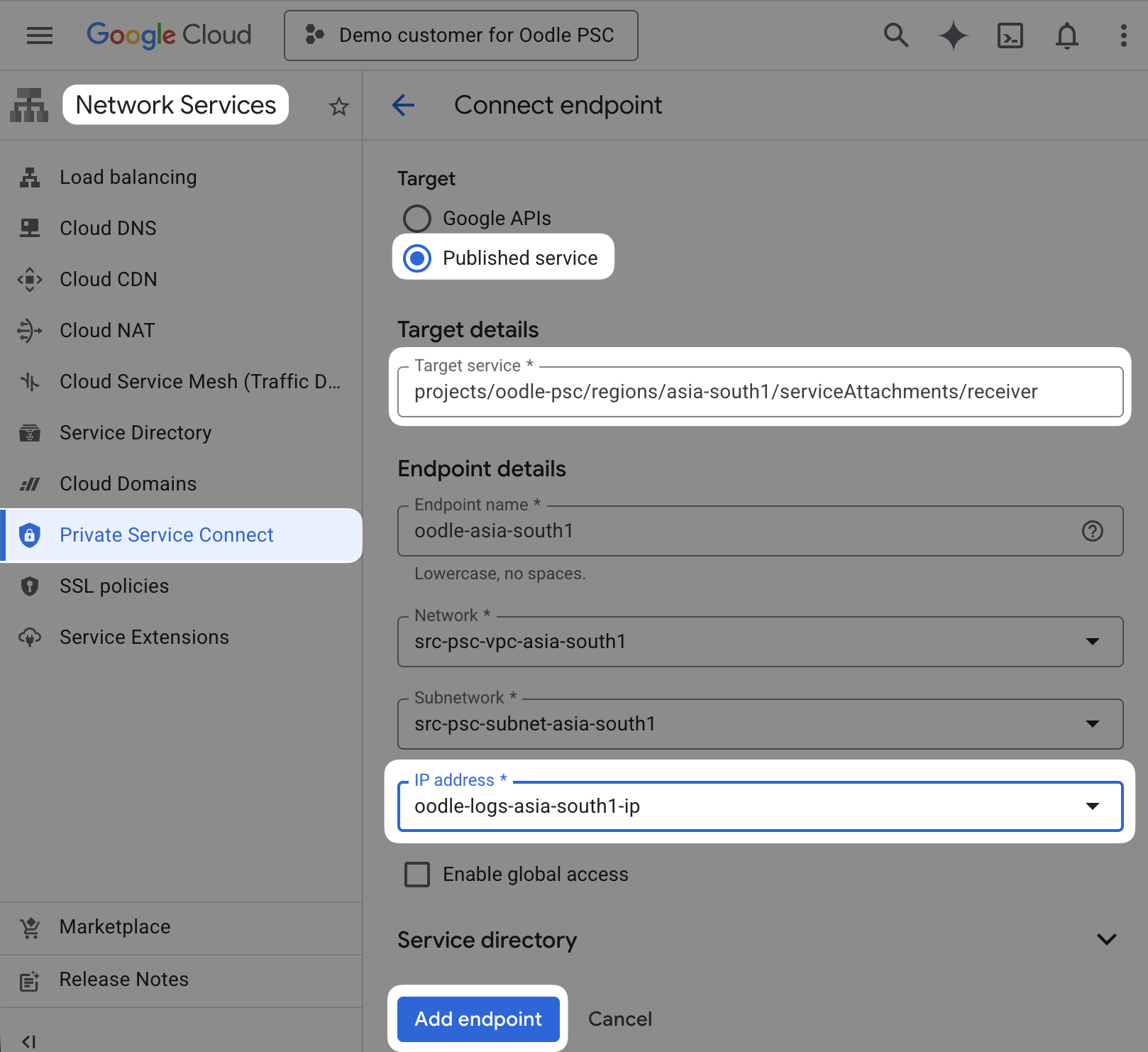
Field Value Target Published service Target service Service Attachment URI for your region (see table above) Endpoint name A descriptive name, e.g. oodle-asia-south1Network / Subnetwork Your consumer VPC and subnet IP address Reserve or select a private internal IP from the subnet Enable global access Enable if you need cross-region connectivity -
Click Add endpoint.
-
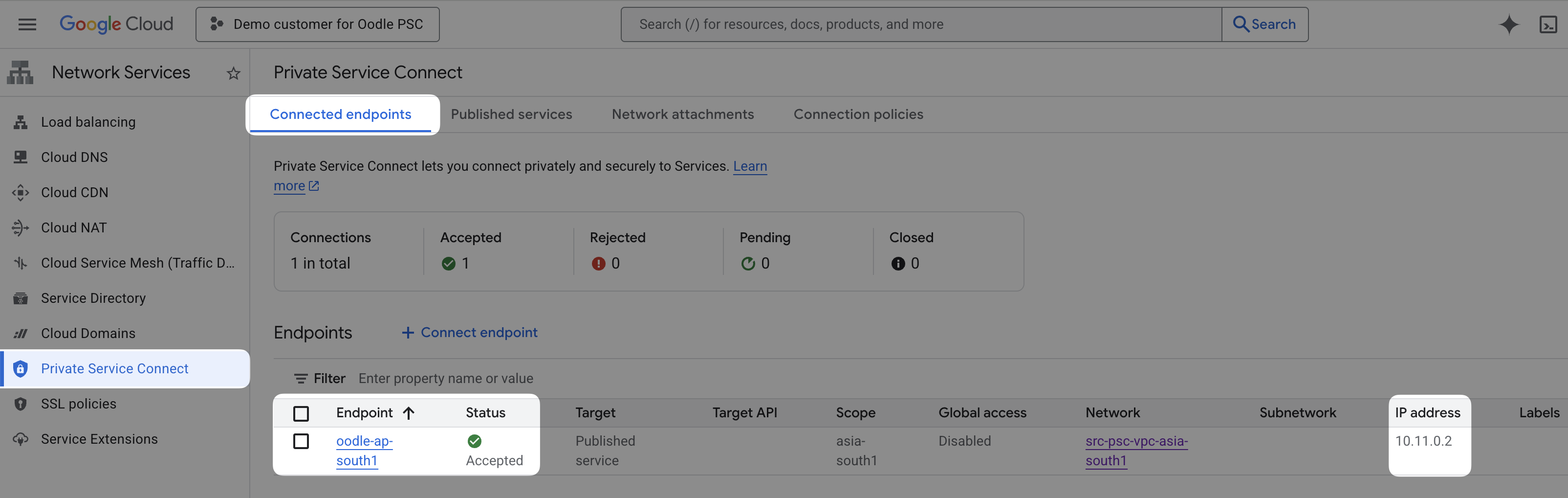
Verify the status shows Accepted, and note down the IP address. We will use this IP address later to setup private DNS.
Setup Private DNS
-
Open the "Create a DNS zone" page.
-
Fill in the form:
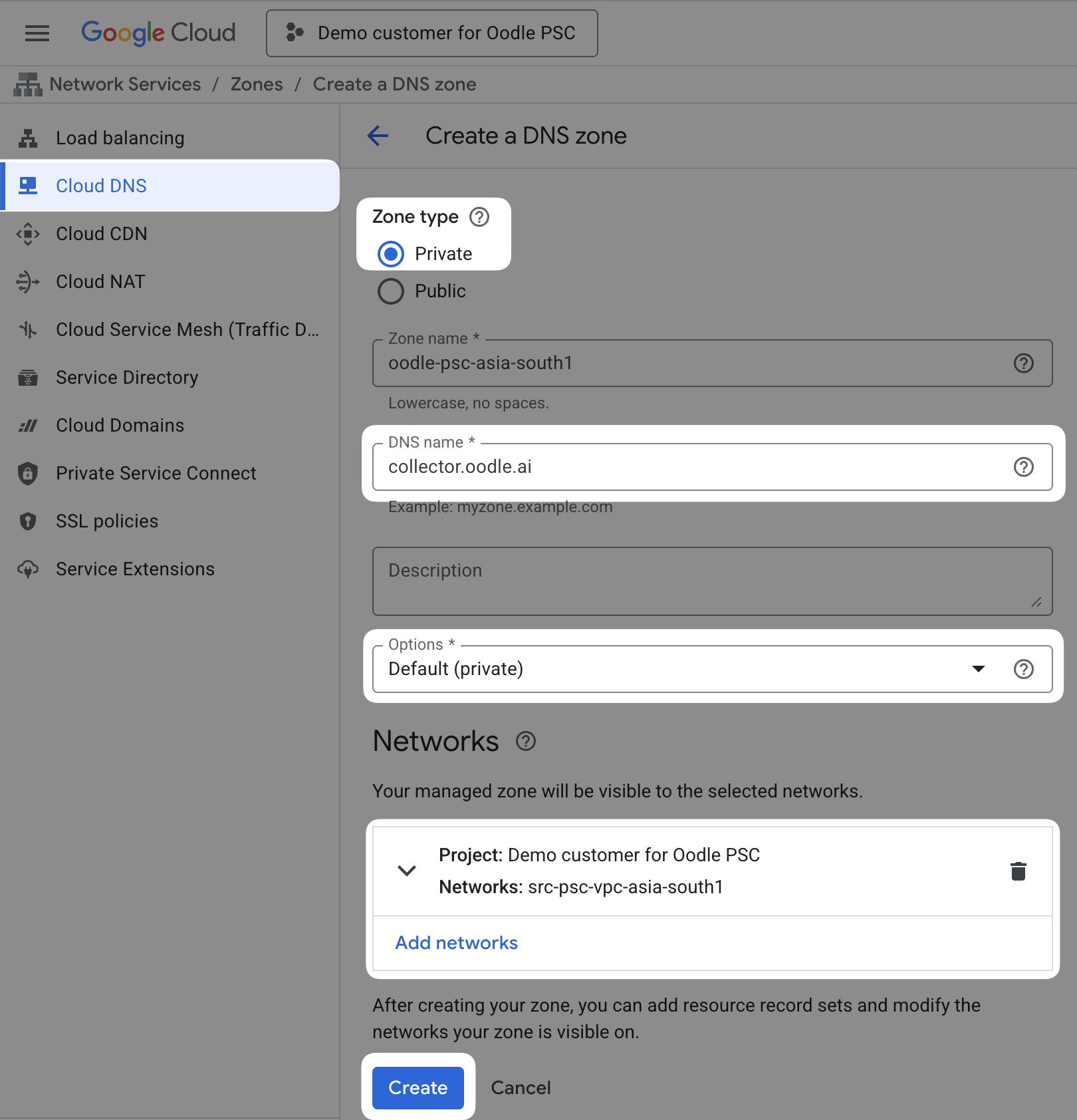
Field Value Zone type Private DNS name collector.oodle.aiOptions Private Networks Your VPC -
Click Create.
-
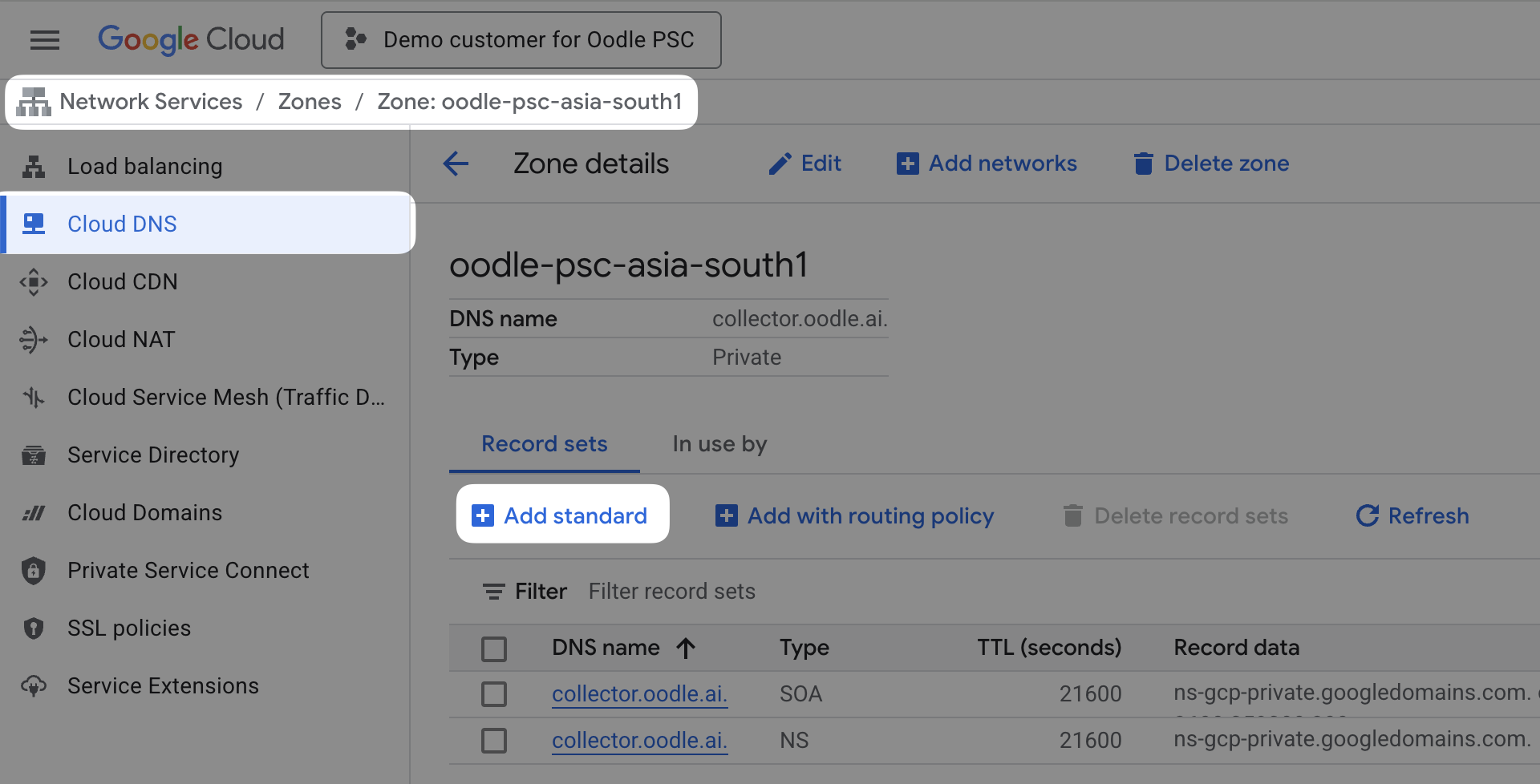
On the next screen, click Add standard.
-
Create an
Arecord for*.collector.oodle.aipointing to the PSC endpoint IP address.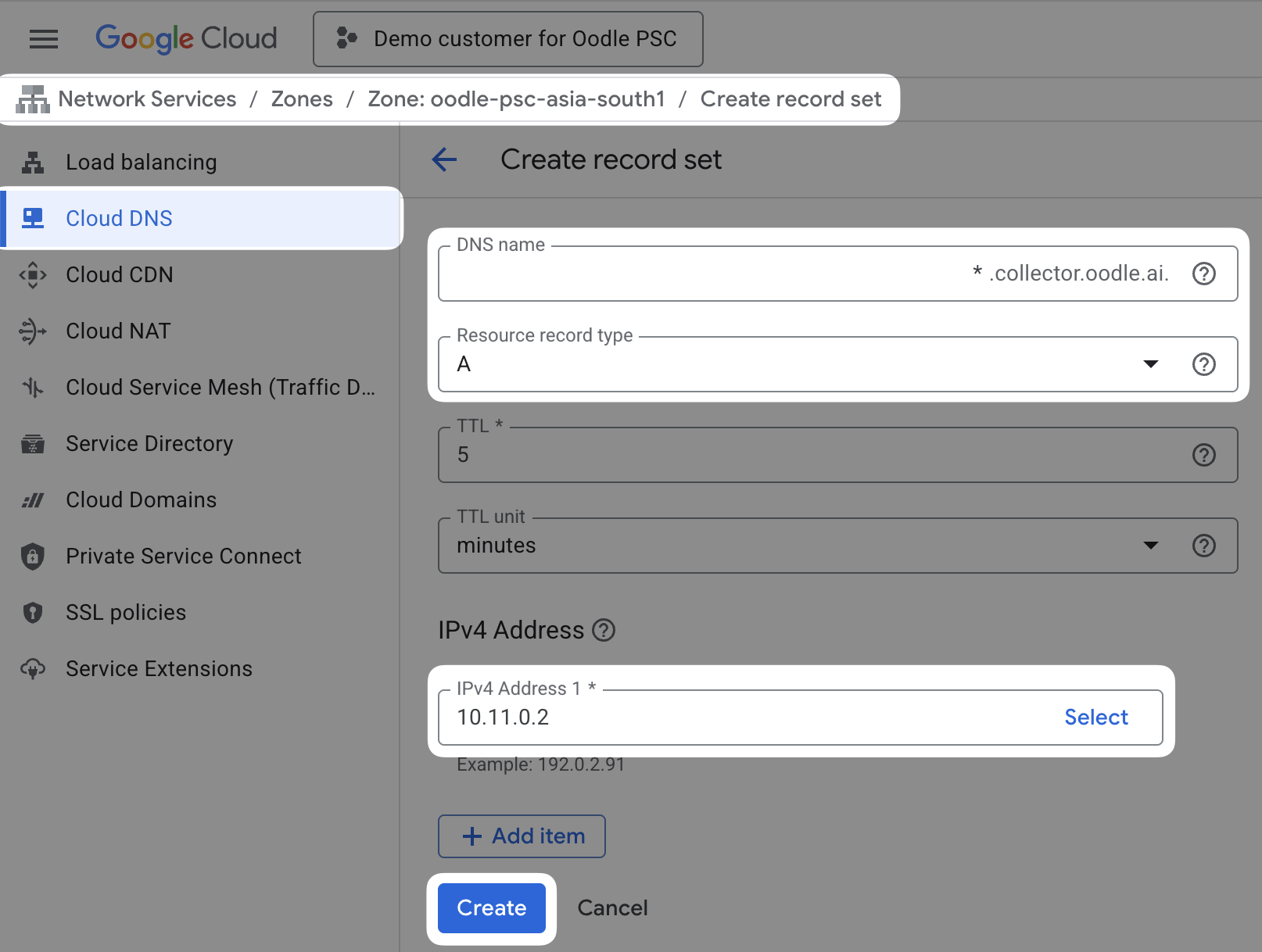
Conclusion
With this setup, all the GCP resources that are exposed to the private DNS will send logs/metrics/traces to Google via the PSC and not over the public internet.
Support
If you need assistance or have any questions, please reach out to us through:
- Email at [email protected]